
WeChat Mini Program Development Tool
WeChat Mini Program is a lightweight application that can be accessed and used within the WeChat app. The development of WeChat Mini Program comes with the WeChat Mini Program Development Tool. The tool provides a development environment for developers to design, develop, and debug Mini Programs. It utilizes the WXML language (WeChat Markup Language) and WXSS (WeChat Style Sheet) for building the user interface.
The development tool is available for both Windows and macOS. It has built-in debugging features that allow developers to test their programs on the computer before publishing to the WeChat environment. The tool provides a preview mode, which enables the developer to see how the Mini Program will function on the WeChat application.
Features of the WeChat Mini Program Development Tool
1. Integrated Development Environment (IDE)
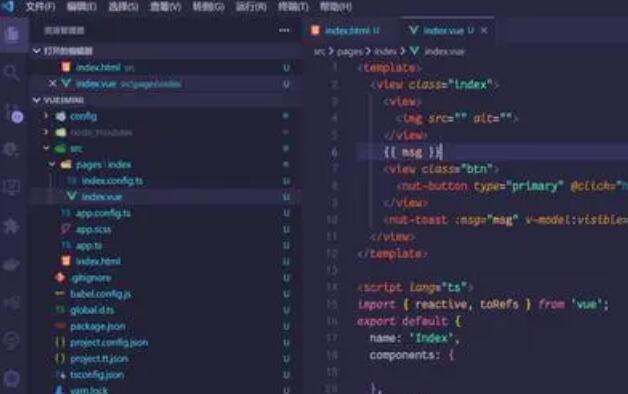
The tool provides an IDE for developers to write their codes, design the user interface, and test their Mini Programs. The IDE incorporates all the necessary tools required for program development, including a code editor, debugger, and a preview window.
2. Debugger
The debugger is an essential tool for any developer as it helps find and fix bugs in the code. The WeChat Mini Program Development Tool provides an advanced debugger that enables the developer to debug their code, set breakpoints, and inspect the runtime environment.
3. WXML and WXSS support
WeChat Mini Program Development Tool uses WXML and WXSS as the primary markup language and style sheet, respectively. The WXML language is similar to HTML, and the WXSS language is similar to CSS. Both languages are easy to learn and understand.
4. WeChat Developer Tools Extension
The WeChat Developer Tools Extension is an additional feature that enables third-party tools to integrate with the IDE. The extension provides developers with additional tools to enhance their development experiences.
5. WeChat Mini Program Simulator
The WeChat Mini Program Simulator provides developers with a preview of their Mini Program without the need to access WeChat. The simulator is useful for testing and debugging the Mini Program on the computer before publishing to the WeChat platform.
In conclusion, the WeChat Mini Program Development Tool is an essential software for developers that want to create Mini Programs for WeChat. It provides a convenient environment for building, testing, and debugging Mini Programs. The tool has many features, including WXML and WXSS support, a built-in debugger, and a simulator. These features make the development process faster and more efficient.